
Selecting the right WordPress theme is a foundational business decision, not just a design choice. Your theme dictates your website's speed, security, user experience, and future scalability. The wrong one can hamstring your marketing efforts with slow load times and poor SEO, while the right one acts as a launchpad for growth, enabling seamless integrations and a high-converting customer journey. A powerful theme is the architectural blueprint for your digital presence.
This guide cuts through the noise of endless options to deliver an expert-led analysis of the best WordPress themes for business. We won't just list features; we will dissect each theme's core strengths, practical applications, and potential drawbacks. You'll gain a clear understanding of which platform is engineered for a fast-growing startup, which is built for a high-volume e-commerce store, and which provides the flexibility a creative agency demands. As you begin this process, it's crucial to remember why a good website design matters to your business in building trust and driving conversions.
Inside, you'll find a curated selection of the most powerful and reliable themes available, complete with:
- Honest pros and cons based on real-world use.
- Specific business use-cases to match a theme to your goals.
- Performance and SEO considerations to ensure you're building on a solid base.
- Screenshots and direct links to see each theme in action.
Our goal is to equip you with the strategic insight needed to choose a WordPress theme that not only looks professional but also performs as a powerful asset for your business. Let's find your digital foundation.
1. WordPress.org Theme Directory
The official WordPress.org Theme Directory is the essential starting point for any business owner, especially those operating on a tight budget or just beginning their digital journey. It serves as the official, community-reviewed repository for free WordPress themes, offering a massive selection directly accessible from your WordPress dashboard. While it's a directory of free themes, its true value lies in providing a secure, transparent, and integrated browsing experience. Every theme listed has undergone a formal review process, ensuring it meets basic coding standards and is free from malicious code.
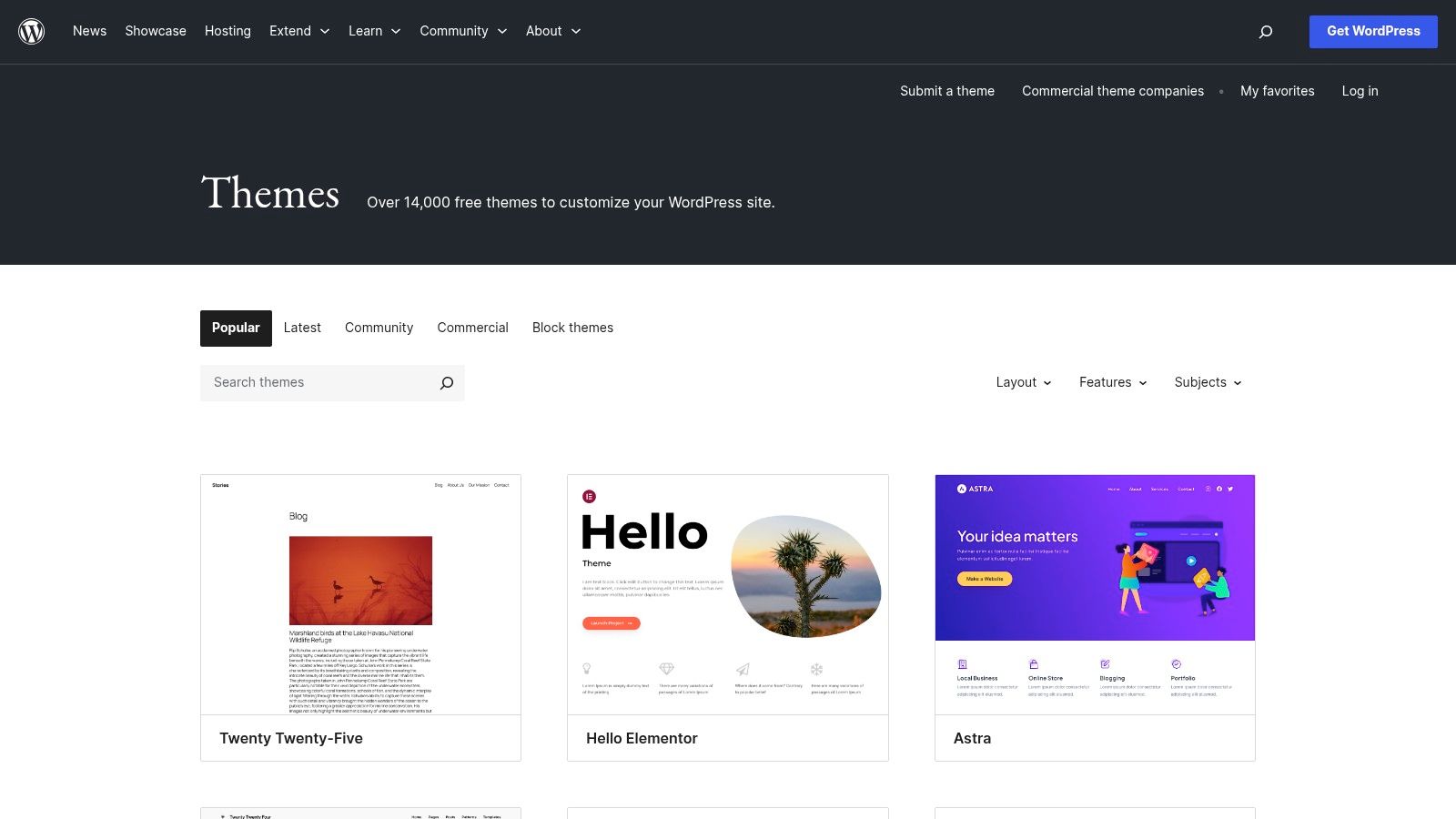
Unlike third-party marketplaces, its unique advantage is the direct integration with the WordPress core. You can search, preview, and install themes in a single click without ever leaving your site's backend. This makes it incredibly efficient for testing multiple options. For business owners, this is an excellent, risk-free way to explore different layouts and functionalities before committing to a premium theme. For example, you can install and test a theme like "Hello Elementor" to understand how a lightweight foundation works before deciding if you need a premium theme's advanced features. If you're weighing the pros and cons of using a platform like this versus a closed-source alternative, it can be helpful to explore the key differences between WordPress and other website builders.
Key Features and Usage Tips
- Cost: Completely free. All themes are licensed under the GPL, meaning you can use and modify them without cost.
- Vetting Process: Each theme passes a stringent review, ensuring a baseline of quality and security that you won't find in random free theme directories.
- Expert Tip: Use the "Feature Filter" to narrow your search for business-specific features like "e-commerce," "portfolio," or "grid layout." Pay close attention to the "Last Updated" date and user ratings to find actively maintained and well-regarded themes. For instance, filtering for "Block Editor Styles" will show themes optimized for the modern WordPress editor.
| Pros | Cons |
|---|---|
| Zero cost and easy to test multiple options. | Support quality varies significantly by theme author. |
| Transparent changelogs and public support forums. | Advanced features are often reserved for paid "Pro" versions. |
| Excellent performance-first options that work well with the Block Editor. | Overall quality can be uneven; careful vetting is required. |
Best for: Startups, small businesses, and solopreneurs on a budget who need a reliable and secure starting point for their website. It's also an ideal resource for anyone wanting to test a lightweight theme framework before purchasing a premium add-on.
Website: https://wordpress.org/themes/
2. ThemeForest (Envato Market)
As the largest and most well-known commercial marketplace, ThemeForest by Envato Market is a go-to resource for businesses seeking premium, feature-rich WordPress themes. It boasts a massive catalog where developers from around the world sell their creations. Unlike the official directory's free offerings, ThemeForest operates on a one-time purchase model, giving you access to the theme files and a set period of author support, typically six months. This makes it a powerful middle ground between free themes and custom development.
The platform's primary advantage is its sheer volume and specificity. You can find meticulously designed themes for virtually any business niche, from law firms and restaurants to construction companies and digital agencies. For example, a real estate agency can find a theme like "Houzez" with built-in property listing management, agent profiles, and mortgage calculators—features that would be costly to develop from scratch. The public-facing metrics, such as sales numbers, user ratings, and detailed changelogs, provide a transparent way to gauge a theme's popularity, quality, and maintenance history.
Key Features and Usage Tips
- Cost: One-time purchase, typically ranging from $29 to $79. This includes the theme license and 6 months of author support, with options to extend.
- Vetting Process: While Envato reviews themes for basic quality, the responsibility for deep vetting falls on the buyer. The community rating and sales data are your best indicators of a reliable product.
- Expert Tip: Always scrutinize the "Comments" and "Support" tabs on a theme's product page before purchasing. This gives you a real-world look at the author's responsiveness and the types of issues other users have encountered. Also, check the "Last Updated" date to ensure it’s compatible with the latest WordPress version and PHP standards.
| Pros | Cons |
|---|---|
| Massive selection for highly specific business niches. | Quality can vary dramatically between authors; careful research is essential. |
| Competitive one-time pricing is great for budget certainty. | Support is provided by the individual author, not Envato, and can be inconsistent. |
| Transparent metrics (sales, ratings) help you find proven themes. | Some themes can be bloated with features, potentially slowing down your site. |
Best for: Businesses with very specific industry needs that require a feature-packed, ready-to-go design. It's also ideal for agencies and developers who need a robust and popular theme framework to customize for multiple clients.
Website: https://themeforest.net/category/wordpress/corporate/business
3. TemplateMonster
TemplateMonster is a vast digital marketplace that has been a long-standing resource for web assets, including a massive catalog of WordPress themes. It stands out by catering specifically to businesses that need a quick, nearly turnkey solution, often bundling themes with professional services. The platform is especially useful for agencies and small businesses looking for industry-specific designs, with curated demos for niches like IT services, consulting, real estate, and more.
Unlike single-author shops, TemplateMonster operates as a multi-vendor marketplace, offering a wide spectrum of styles and functionalities. Its unique proposition is the optional add-on services, such as theme installation and setup, which can be invaluable for business owners without technical expertise. The MonsterONE subscription plan is another key differentiator, providing unlimited downloads of themes and other assets, making it a cost-effective solution for web professionals managing multiple client projects. For instance, a marketing agency can subscribe to MonsterONE to access themes for a restaurant client one month and a tech startup the next, all under one predictable fee.
Key Features and Usage Tips
- Cost: Varies by author and license. Individual themes typically range from $45 to $99. The MonsterONE subscription offers unlimited access starting at around $15.75/month (billed annually).
- Vetting Process: Themes are submitted by various authors and reviewed by the TemplateMonster team, but the level of ongoing support and updates can differ significantly between vendors.
- Expert Tip: Before purchasing, always check the theme's "Last Updated" date, reviews, and the author's support policy. Use the live demo feature extensively to test responsiveness and functionality to ensure it meets your business requirements. For example, test the e-commerce checkout flow on a demo if that's a critical function for your business.
| Pros | Cons |
|---|---|
| Various license and service bundles for quicker launches. | Catalog quality varies by vendor; verify update cadence and support. |
| Regular promotions and subscription option for agencies. | Optional extended services can significantly increase the total cost. |
| Huge selection of themes for very specific business niches. | Some themes may come with bundled plugins that can cause bloat. |
Best for: Agencies, freelancers, and businesses that need a wide selection of ready-made designs and are willing to pay for additional setup services to accelerate their website launch. The MonsterONE subscription is a great value for professionals building multiple sites.
Website: https://www.templatemonster.com/products/types/wordpress-themes/
4. Creative Market
Creative Market is a design-centric marketplace where independent creators sell high-quality digital assets, including a curated selection of WordPress themes. It stands out for its focus on unique, aesthetically-driven designs, making it an ideal destination for branding-forward businesses that want to avoid the generic look of many multipurpose themes. The platform features individual designer storefronts, allowing you to browse a creator's entire portfolio and get a feel for their specific style before purchasing.
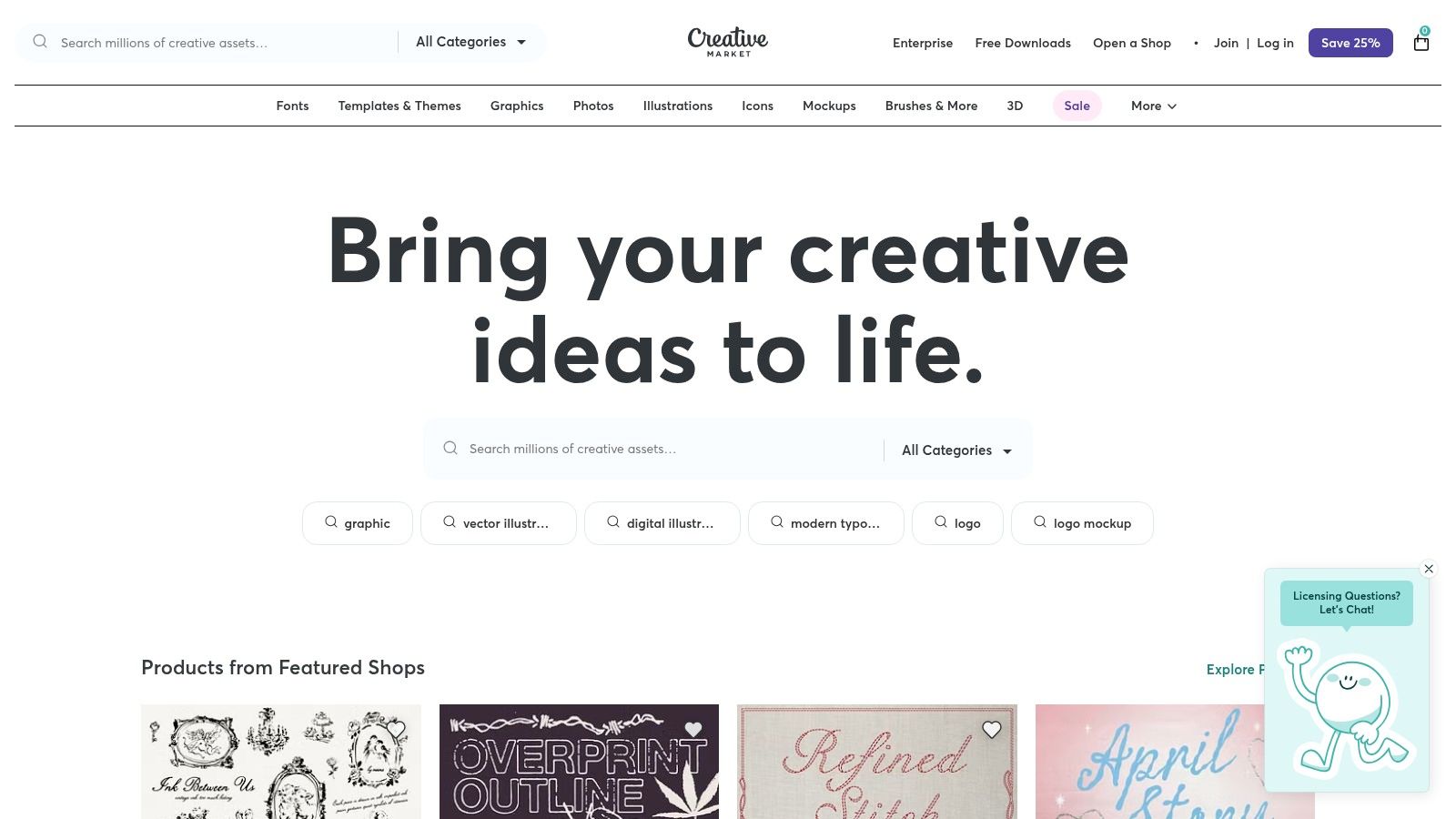
Unlike massive marketplaces that can feel overwhelming, Creative Market's strength lies in its curation and emphasis on craft. This makes it one of the best sources for finding WordPress themes for business websites that require a distinct visual identity, such as creative agencies, boutique shops, or portfolio sites. For example, a photographer might find a theme here with unique gallery layouts and typography that better reflects their artistic brand than a standard corporate theme. The platform’s clear licensing information and direct access to seller documentation and support channels provide a transparent and trustworthy purchasing experience.
Key Features and Usage Tips
- Cost: Themes are individually priced by creators, typically ranging from $29 to $79. There are no membership fees to browse or purchase.
- Licensing: Offers clear Personal, Commercial, and Extended Commercial licenses, making it easy to choose the right option for your business needs.
- Expert Tip: Before buying, carefully review the seller's profile. Check their user ratings, comments section, and how recently they have updated their products. A theme from an active, well-regarded designer is more likely to receive long-term support and updates. Look for sellers who actively answer pre-sale questions in their comments section as an indicator of good support.
| Pros | Cons |
|---|---|
| Distinct visual styles for strong brand differentiation. | Update frequency and long-term support quality vary by seller. |
| Clear support documentation and licensing details for each theme. | Smaller selection of enterprise-style multipurpose themes. |
| Direct communication with theme designers via their storefronts. | Quality can be inconsistent; vetting individual creators is crucial. |
Best for: Creative agencies, boutique e-commerce stores, and small businesses that prioritize a unique, design-first website to build a strong brand identity.
Website: https://creativemarket.com/
5. Elegant Themes (Divi)
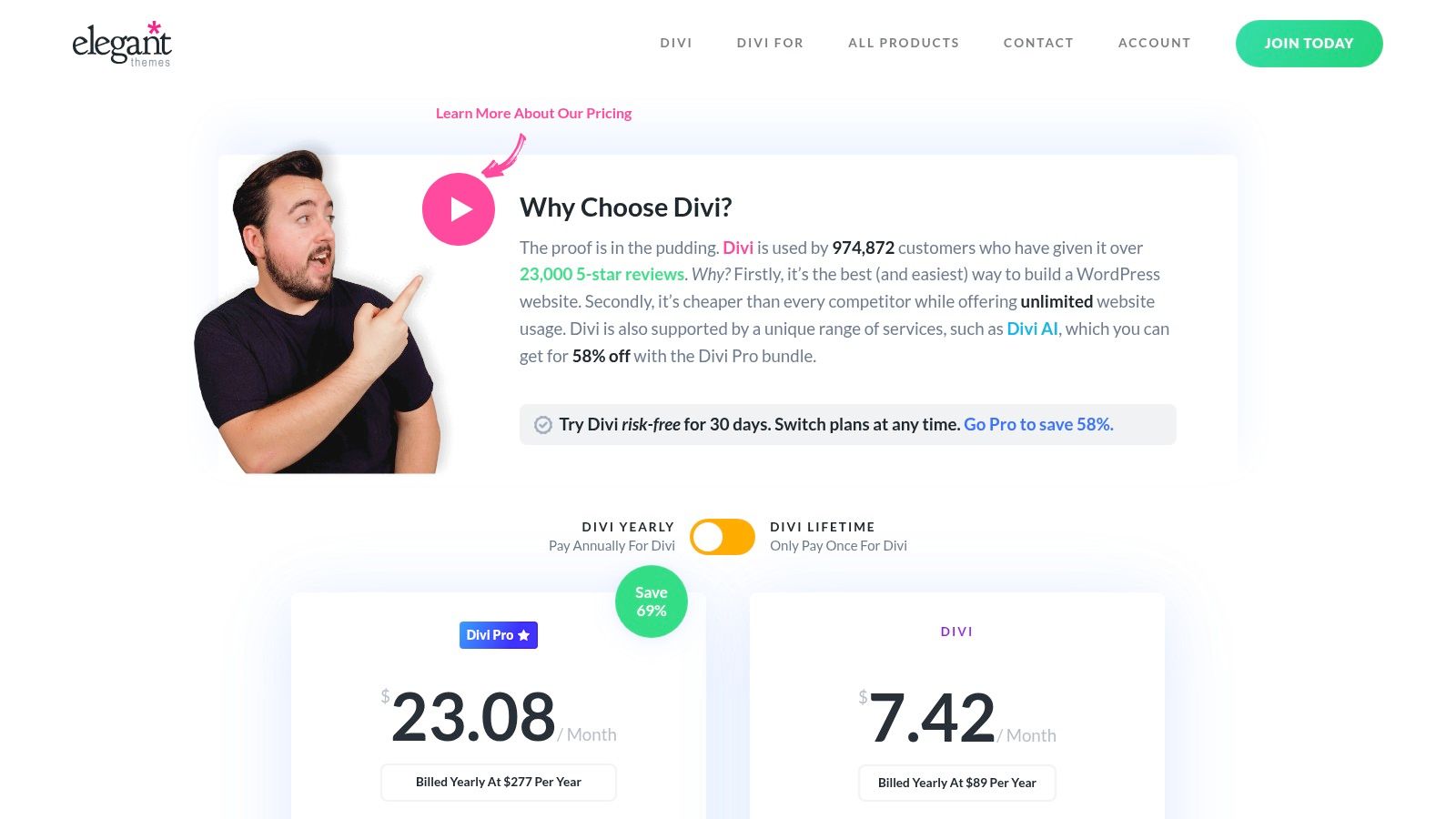
Elegant Themes is the home of Divi, one of the most popular premium WordPress themes and visual page builders in the world. It stands apart by offering its entire suite of products, including the Divi theme, the Divi Builder plugin, and other tools, through a single membership subscription. This model is exceptionally cost-effective for agencies, freelancers, and businesses managing multiple websites, as one license covers unlimited site usage. Divi empowers users to build virtually any design imaginable without touching a line of code, thanks to its powerful drag-and-drop interface.
The platform is renowned for its vast ecosystem, which includes hundreds of professionally designed, full-website layout packs that can be imported in a few clicks. This allows businesses to launch a polished site quickly and then customize it to their exact branding needs. The visual builder provides real-time, front-end editing, which is crucial for making precise design adjustments. For example, a business owner can directly click on text on their homepage, edit it, and see the change instantly, which is far more intuitive than navigating backend settings menus. This focus on visual design is particularly useful when trying to optimize your layouts for better conversion rates.
Key Features and Usage Tips
- Cost: Annual or lifetime access membership. The Divi Pro plan includes AI tools, cloud storage, and premium support.
- Vetting Process: As a premium commercial product, Divi is professionally developed and maintained with regular updates for features, security, and compatibility.
- Expert Tip: Leverage the Divi Library to save and reuse custom modules, rows, or sections across your entire website or even on different websites using Divi Cloud. This dramatically speeds up development for consistent branding elements like call-to-action blocks or contact forms. For instance, create a styled "Request a Quote" form and save it to the library to insert on multiple service pages with one click.
| Pros | Cons |
|---|---|
| Unlimited site usage on a single membership. | Can be heavier than minimalist themes; performance tuning is recommended. |
| Large ecosystem of layouts, community support, and tutorials. | The visual builder has a learning curve for complete beginners. |
| Powerful front-end visual builder for real-time design. | Relies on shortcodes, which can make migrating away from Divi complex. |
Best for: Agencies, web designers, and businesses that need a versatile, all-in-one solution for building multiple custom websites without recurring per-site license fees. It's also excellent for business owners who prefer a highly visual, drag-and-drop design experience.
Website: https://www.elegantthemes.com/join/
6. Astra (Brainstorm Force)
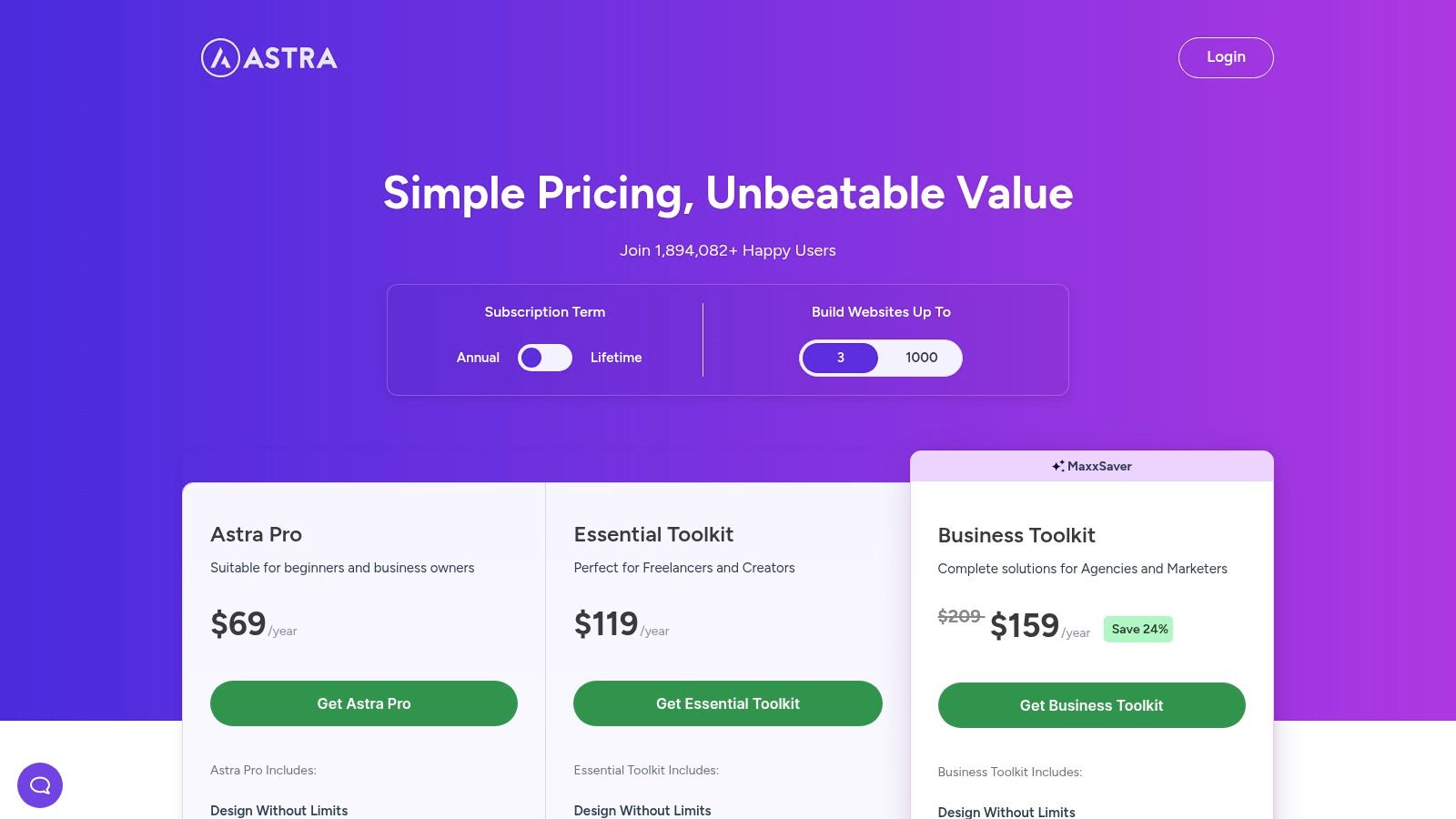
Astra has solidified its reputation as one of the most popular, lightweight, and versatile options available, making it a top contender for the best WordPress themes for business. Developed by Brainstorm Force, it is engineered for speed and built with a modular approach, allowing you to enable only the features you need. This performance-first design, combined with its vast library of starter templates, makes it an incredibly powerful foundation for businesses ranging from e-commerce stores to corporate agencies.
Unlike many multipurpose themes that can feel bloated, Astra's core is exceptionally lean. Its true power is unlocked through the Astra Pro addon and its accompanying toolkits, which provide deep integrations with page builders like Elementor and Beaver Builder, as well as native block editor enhancements via their Spectra plugin. This flexibility allows businesses to build visually stunning, custom websites without writing a single line of code, while ensuring the underlying framework remains fast and SEO-friendly. For example, a business can import a complete "Pet Services" starter site, then use the advanced color and typography controls in Astra Pro to match the site to their logo and brand guide in minutes.
Key Features and Usage Tips
- Cost: A capable free version is available. Premium plans start at $47/year for Astra Pro, with comprehensive toolkits ranging from $137/year to $187/year. Lifetime deals are also offered.
- Performance-Oriented Code: The theme is less than 50KB on the frontend and is built without jQuery, contributing to exceptionally fast load times right out of the box.
- Expert Tip: When choosing a starter template, filter by your preferred page builder (e.g., Elementor, Spectra). For an e-commerce site, explore the "Advanced" WooCommerce features in Astra Pro, such as off-canvas filters and quick view, to significantly enhance the user shopping experience. These features improve conversions by making it easier for customers to browse and buy.
| Pros | Cons |
|---|---|
| Fast, flexible, and well-documented with a strong reputation. | Features are spread across add-ons making plan selection complex. |
| Huge library of professionally designed starter templates. | The best templates and features require higher-tier bundles. |
| Multiple bundles are suitable for solo users and agencies. | The free version is functional but limited for serious businesses. |
Best for: Any business owner, from a solopreneur to a large agency, who values performance, flexibility, and a streamlined workflow. It's particularly powerful for those building e-commerce sites with WooCommerce or online courses with LMS plugins like LearnDash.
Website: https://wpastra.com/pricing/
7. GeneratePress
GeneratePress is a performance-first WordPress theme celebrated by developers, SEO professionals, and business owners who prioritize speed and stability. It's built on a featherlight foundation, ensuring your site loads quickly without sacrificing flexibility. Unlike bulky, all-in-one themes that can bog down a server, GeneratePress provides a clean, bloat-free canvas that you can extend with its powerful premium modules and companion block plugin, GenerateBlocks. This modular approach makes it one of the best WordPress themes for business owners who need a reliable, long-term solution that won't require constant optimization.
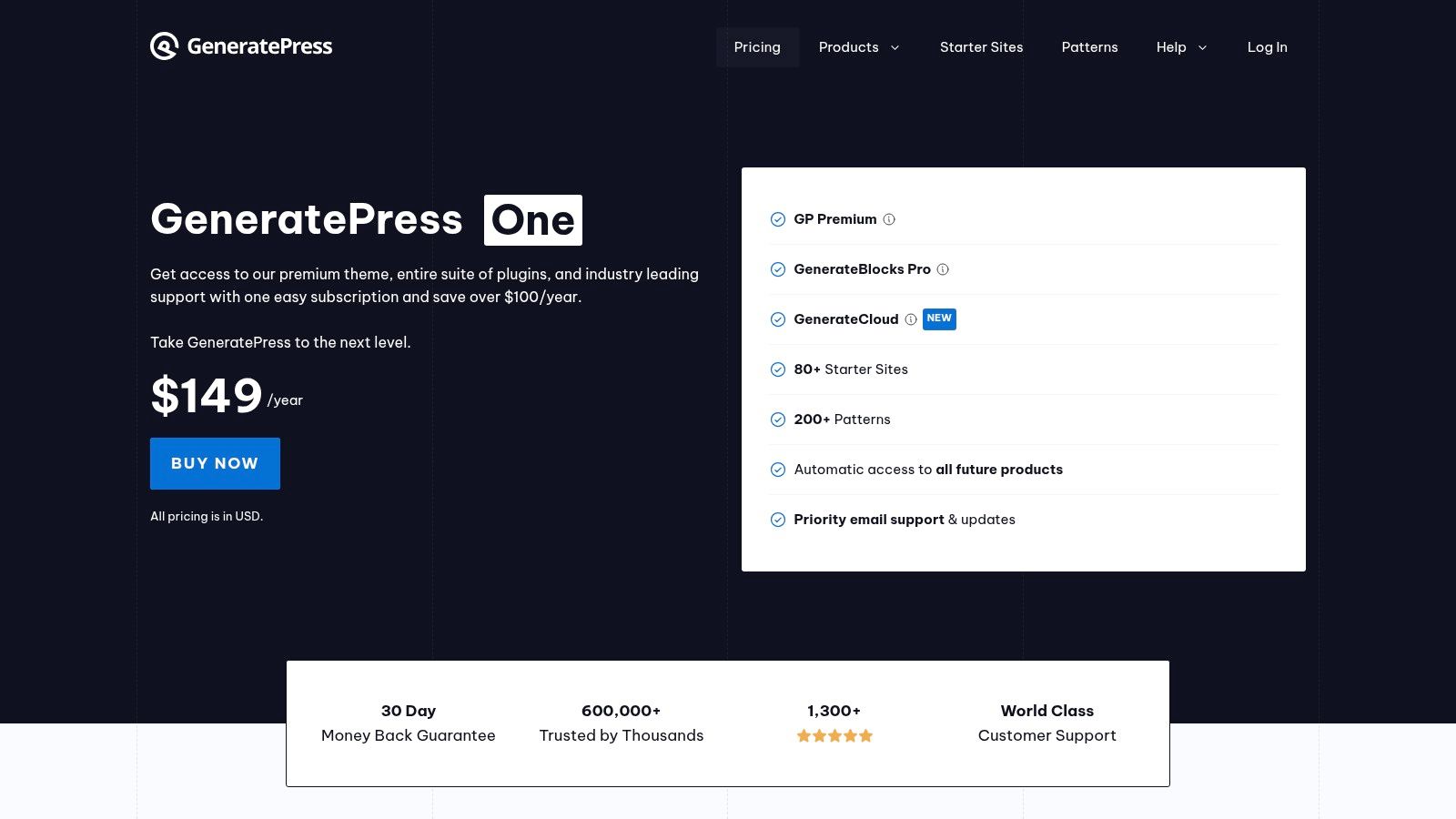
The platform's unique advantage is its deep integration with the native WordPress Block Editor (Gutenberg). The premium version gives you access to an extensive Site Library with over 60 professionally designed starter sites, which can be imported with a few clicks. This allows you to achieve a polished, custom look without the performance overhead of traditional page builders. For businesses focused on core web vitals and SEO rankings, a fast theme is a critical starting point; you can learn more about how to speed up your WordPress site to understand its impact. GeneratePress delivers this foundational speed out of the box.
Key Features and Usage Tips
- Cost: A free core theme is available. GP Premium starts at $59/year or a one-time payment of $249 for lifetime access.
- Performance-Focused: The theme is exceptionally lightweight (less than 10kb fresh install), contributing to faster load times and better user experience.
- Expert Tip: Pair GeneratePress with the GenerateBlocks plugin (free or pro). This combination unlocks advanced layout controls directly within the Gutenberg editor, allowing you to build complex designs without needing a heavy page builder like Elementor or Divi. For instance, you can use GenerateBlocks to create a reusable "Services" grid with icons and descriptions, then place it anywhere on your site.
| Pros | Cons |
|---|---|
| Excellent speed and stability for long-term maintainability. | Fewer flashy, pre-made demos compared to page-builder-heavy themes. |
| Developer-friendly with minimal bloat and extensive hooks/filters. | Some advanced layouts require familiarity with the block editor. |
| Strong documentation and a highly active community support forum. | The free version is quite basic and requires premium for most features. |
Best for: SEO-focused businesses, agencies, and developers who need a fast, stable, and highly customizable foundation. It's ideal for those comfortable working within the WordPress block editor to build custom, performance-optimized websites.
Website: https://generatepress.com/pricing
8. Kadence WP
Kadence WP offers a powerful ecosystem that combines a fast, modern theme with a suite of conversion-focused tools, making it one of the best WordPress themes for businesses prioritizing sales and lead generation. It moves beyond just aesthetics, providing an integrated solution with its Kadence Blocks plugin that dramatically enhances the Gutenberg block editor. This combination allows for building sophisticated, custom layouts without needing to write code. Its core philosophy is centered on performance and extensibility, which is particularly beneficial for e-commerce stores.
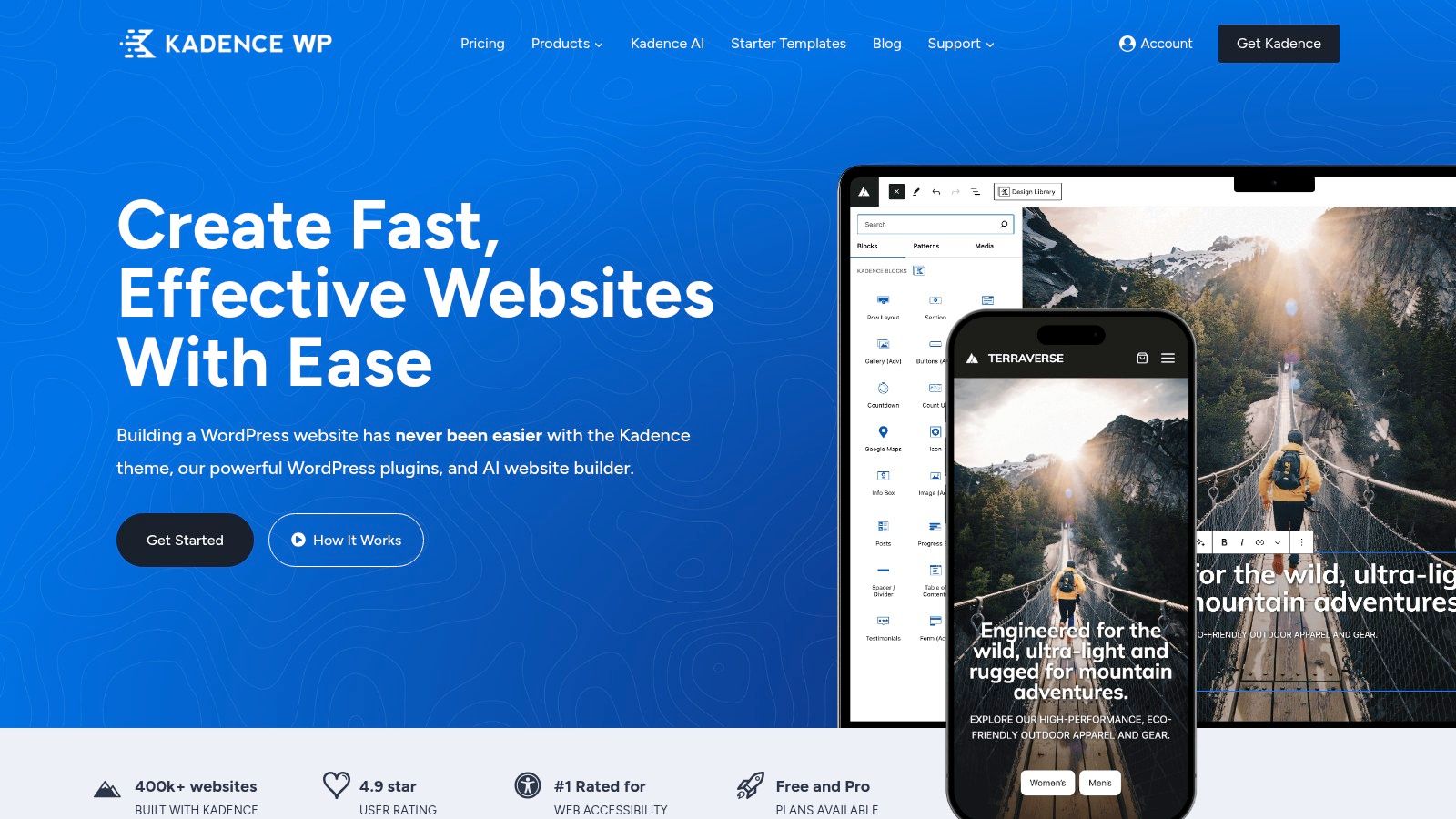
What sets Kadence apart is its focus on the entire business funnel. Higher-tier bundles include specialized add-ons like the Shop Kit for WooCommerce, which adds features like product swatches and advanced galleries, and Kadence Conversions for creating popups, slide-ins, and banners with A/B testing capabilities. For example, a business can use Kadence Conversions to display a "10% off" slide-in banner that only appears to first-time visitors on product pages, a proven tactic for boosting initial sales. This makes it a comprehensive toolkit for businesses aiming to optimize their conversion rates directly from their website.
Key Features and Usage Tips
- Cost: A capable free theme is available. Pro add-ons start from $149/year, with bundles including all products available in higher-priced plans.
- Conversion Tools: Leverage the Kadence Conversions add-on (in pro plans) to create targeted offers and lead magnets without needing a separate third-party service.
- Expert Tip: Start with the free Kadence Blocks plugin to supercharge the block editor. Explore their library of pre-built "Design Library" sections to quickly assemble professional pages, and then customize the global color palette and typography in the theme customizer for brand consistency. For example, you can insert a professionally designed "Pricing Table" block and have it automatically adopt your site's brand colors.
| Pros | Cons |
|---|---|
| Business-focused tools for conversion rate optimization. | Best features are gated behind the more expensive bundles. |
| Strong WooCommerce enhancements via the Shop Kit add-on. | The full suite of tools has a learning curve to master effectively. |
| Excellent performance and deep integration with the block editor. | Support for the free version is limited to community forums. |
Best for: E-commerce businesses and performance marketers who need a fast, flexible foundation with built-in tools for optimizing sales and user experience. It's also great for agencies that build client sites and want a reliable, all-in-one toolkit.
Website: https://www.kadencewp.com/
9. OceanWP
OceanWP is a long-standing, feature-rich multipurpose theme known for its deep integration with popular page builders and its extensive library of importable demo sites. It has established itself as one of the best WordPress themes for business owners who need to launch a professional-looking site quickly without starting from scratch. Its main strength lies in its "extension-based" model, allowing you to add specific functionalities like a popup login, an Instagram feed, or a portfolio display only when you need them. This approach lets you build a powerful site while maintaining control over performance.
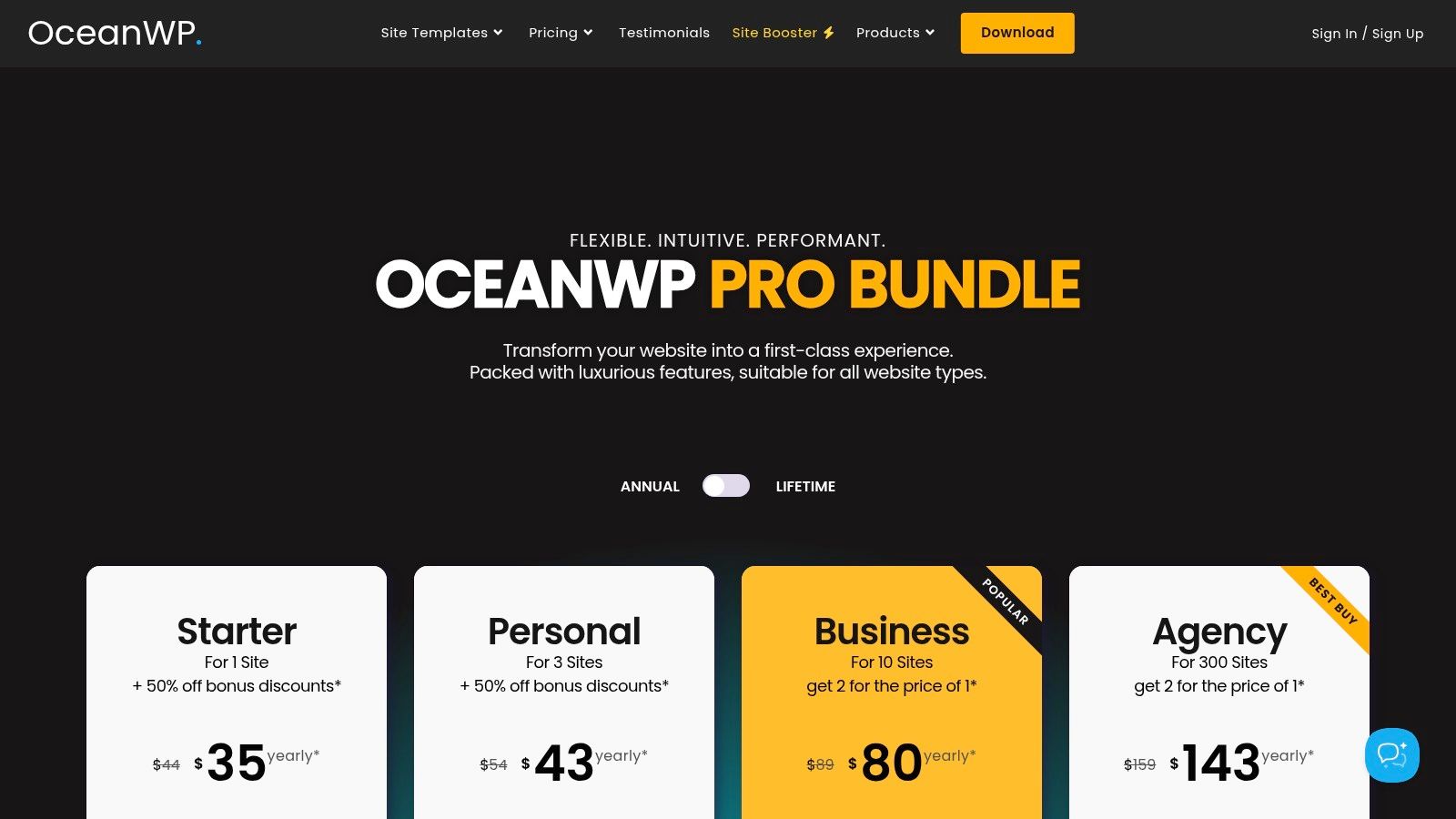
Unlike themes that bundle everything into a single package, OceanWP provides a free core theme with optional premium extensions. This makes it a flexible choice that can scale from a simple blog to a full-fledged e-commerce store with advanced WooCommerce customizations. The granular control it offers via the WordPress Customizer is a significant plus, allowing for detailed adjustments to headers, footers, typography, and colors without touching a single line of code. For example, its WooCommerce extensions allow you to add a multi-step checkout or a distraction-free cart page, features that can directly improve conversion rates for an online store.
Key Features and Usage Tips
- Cost: Free core theme. The Pro "Core Extensions Bundle" starts at $44 per year for a single site, with multiple tiers available for more sites.
- Vetting Process: As a popular theme on WordPress.org, the free version is vetted. The premium extensions are maintained and supported directly by the developer.
- Expert Tip: Before purchasing a bundle, install the free theme and identify which specific premium extensions you truly need. You can often achieve your goals with the free version and a few third-party plugins, but the bundle offers a more integrated and supported experience. For instance, if you only need a cookie notice, a free plugin might suffice, but if you need the cookie notice, a sticky header, and portfolio extensions, the bundle becomes cost-effective.
| Pros | Cons |
|---|---|
| Feature-rich demos speed up SMB website launches. | Many moving parts (extensions, boosters) require plan comparisons. |
| Deep customization options available in the free version. | Can be heavier than ultra-lean frameworks without performance tuning. |
| Competitive entry pricing with frequent discounts. | Support is tiered, with faster responses reserved for higher plans. |
Best for: Small to medium-sized businesses and e-commerce stores that want a highly customizable theme with a large selection of pre-built designs. It's particularly well-suited for users who prefer working with page builders like Elementor.
Website: https://oceanwp.org/core-extensions-bundle/
10. Blocksy (CreativeThemes)
Blocksy by CreativeThemes is a freemium theme that has rapidly gained a reputation for being one of the most innovative and lightweight options built specifically for the Gutenberg block editor. Its modern, block-first architecture ensures exceptionally fast loading times and seamless integration with native WordPress tools, making it one of the best WordPress themes for business owners who prioritize performance and ease of use. The theme strikes an impressive balance between customization power and user-friendly design, avoiding the bloat often associated with feature-rich themes.
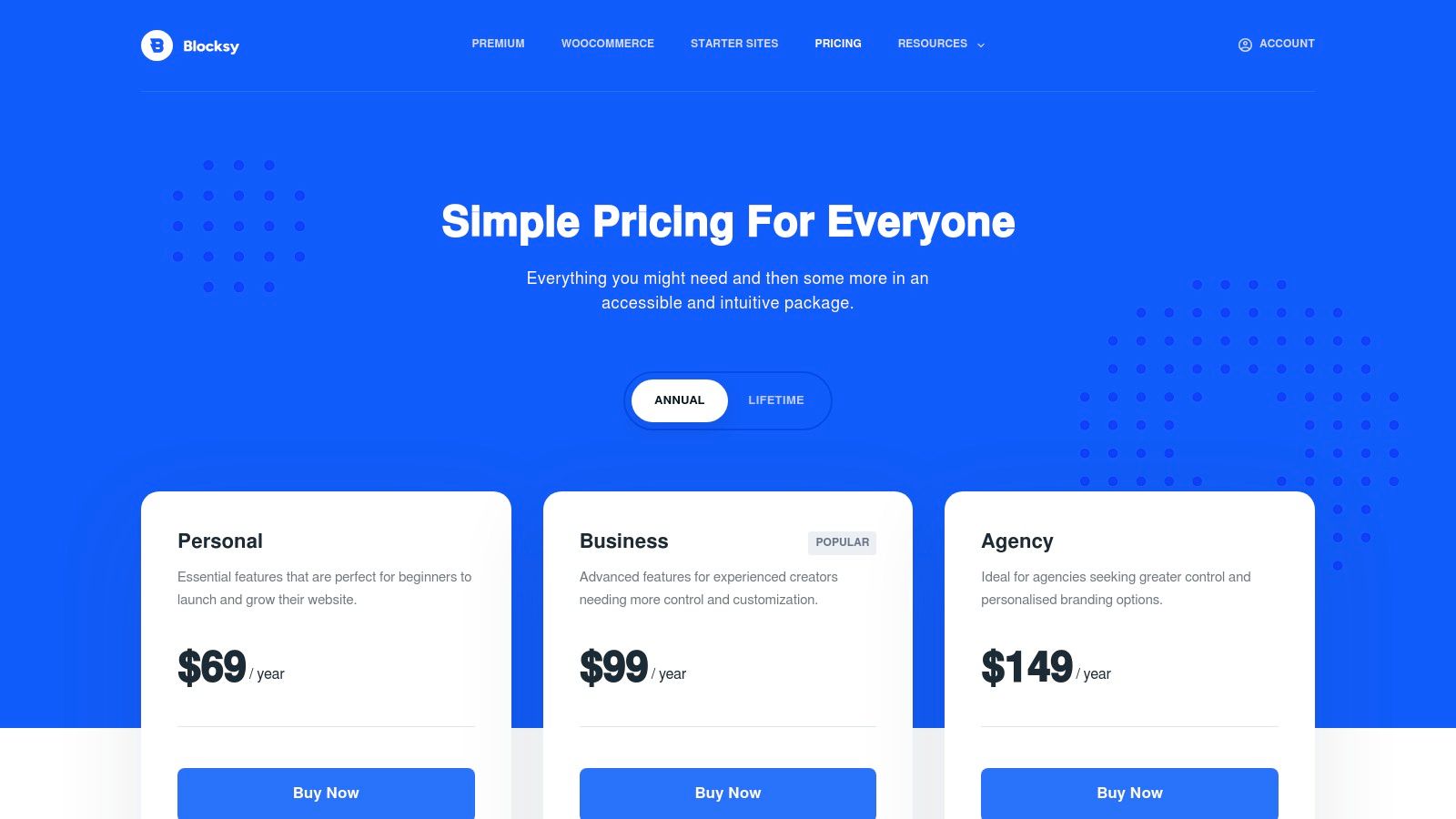
What sets Blocksy apart is its thoughtfully implemented Pro version, which enhances the free core with powerful, business-centric features without compromising speed. The Pro add-on includes advanced tools like a content blocks module (hooks), advanced menu and header/footer builders, and a white-label feature for agencies. Its deep WooCommerce integration provides conversion-focused extras like product quick view, floating carts, and off-canvas filters. For example, an agency building client sites can use the white-label feature to replace Blocksy branding with their own, providing a more professional and integrated experience for their clients.
Key Features and Usage Tips
- Cost: A feature-rich free version is available on WordPress.org. Pro plans start at $69/year or a one-time payment of $199 for a lifetime license.
- Performance-First Design: Built from the ground up to be lightweight and fast, Blocksy consistently scores high on performance metrics like Google PageSpeed Insights.
- Expert Tip: Leverage the "Content Blocks" (Hooks) feature in the Pro version to insert custom layouts, call-to-action sections, or scripts anywhere on your site without touching code. This is perfect for placing marketing banners before the footer or subscription forms below blog post content on a site-wide basis.
| Pros | Cons |
|---|---|
| Lightning-fast and built for the modern block editor. | The ecosystem of third-party add-ons is smaller than competitors. |
| Clean, intuitive customization options in the WordPress Customizer. | Some advanced WooCommerce features require the Pro version. |
| Generous and fair pricing, including valuable lifetime plans. | Fewer pre-made starter sites compared to themes like Astra. |
Best for: Businesses of all sizes, especially e-commerce stores and agencies, that need a fast, modern, and highly customizable theme without the bloat. Its white-label feature makes it a top choice for developers building sites for clients.
Website: https://creativethemes.com/blocksy/pricing/
11. ThemeIsle (Neve)
ThemeIsle’s flagship theme, Neve, is a multipurpose powerhouse engineered for speed and adaptability, making it one of the best WordPress themes for business owners who prioritize performance without sacrificing design flexibility. It operates on a mobile-first philosophy, ensuring your site looks and performs flawlessly on any device. Neve is known for its featherlight footprint and its deep integration with popular page builders like Elementor, Brizy, and the native Block Editor, giving you complete creative control.
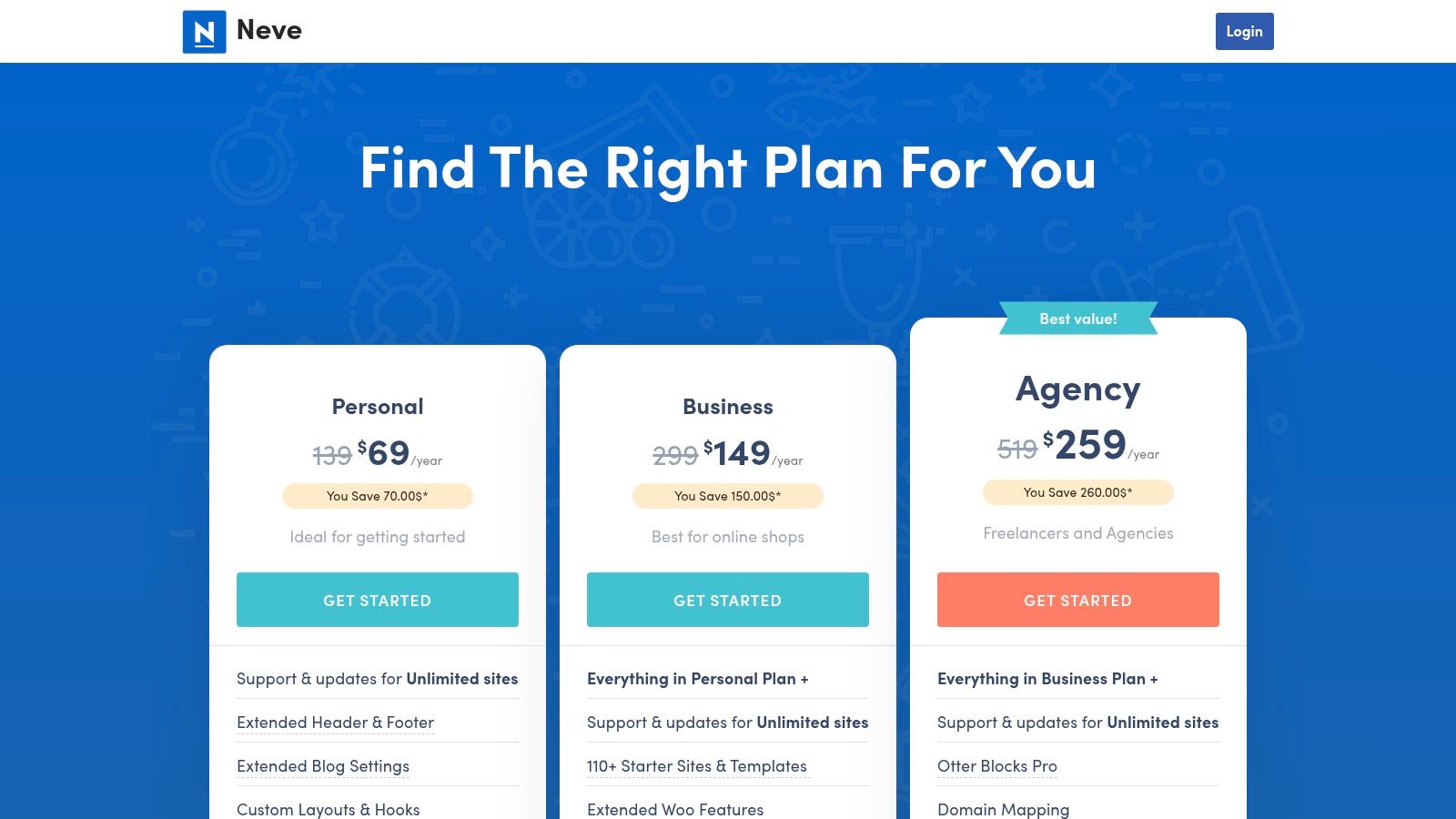
The theme’s real value for businesses emerges in its Pro add-ons. These premium modules extend functionality significantly, adding powerful WooCommerce features, LMS boosters for online courses, and content restriction capabilities for membership sites. For agencies, the highest-tier plan includes a "Templates Cloud" for storing and reusing custom designs across client projects and a white-labeling feature to brand the theme as your own. For example, an online educator can use the LifterLMS Booster to create a more engaging course layout with progress bars and custom sidebars, enhancing the student experience. This scalability makes Neve a smart long-term investment for a growing business.
Key Features and Usage Tips
- Cost: A free version is available on WordPress.org. Premium plans start with an introductory offer and renew at a standard rate, offering unlimited site licenses.
- Starter Sites: Access over 110 pre-built starter sites and templates, allowing for rapid deployment of a professional-looking website for various business niches.
- Expert Tip: Leverage the Custom Layouts module in the Pro version. You can use hooks to inject custom content (like banners or call-to-action sections) into specific areas of your site without editing core theme files. This is ideal for running targeted marketing campaigns, such as inserting a limited-time offer banner above the header on all shop pages.
| Pros | Cons |
|---|---|
| Consistently optimized for speed and Core Web Vitals. | Some advanced capabilities depend on ThemeIsle’s companion plugins. |
| Good value for unlimited-site usage across all premium tiers. | Renewal pricing typically returns to standard after introductory discounts. |
| Extensive library of professional starter templates. | The free version is functional but lacks key business-centric modules. |
Best for: Small-to-mid-market businesses, agencies, and e-commerce stores that require a fast, reliable, and highly customizable foundation that can scale with their operational needs.
Website: https://themeisle.com/themes/neve/pricing/
12. StudioPress (Genesis Pro)
StudioPress, powered by the Genesis Pro suite, offers a developer-centric approach to building professional WordPress sites. It is built around the renowned Genesis Framework, a secure and performance-optimized foundation favored by agencies and serious developers for its clean code and predictable structure. Instead of focusing on flashy front-end builders, Genesis Pro provides a rock-solid, SEO-friendly base and a collection of premium "child themes" designed for business use cases. This makes it one of the best WordPress themes for business owners who prioritize long-term stability and security over drag-and-drop convenience.
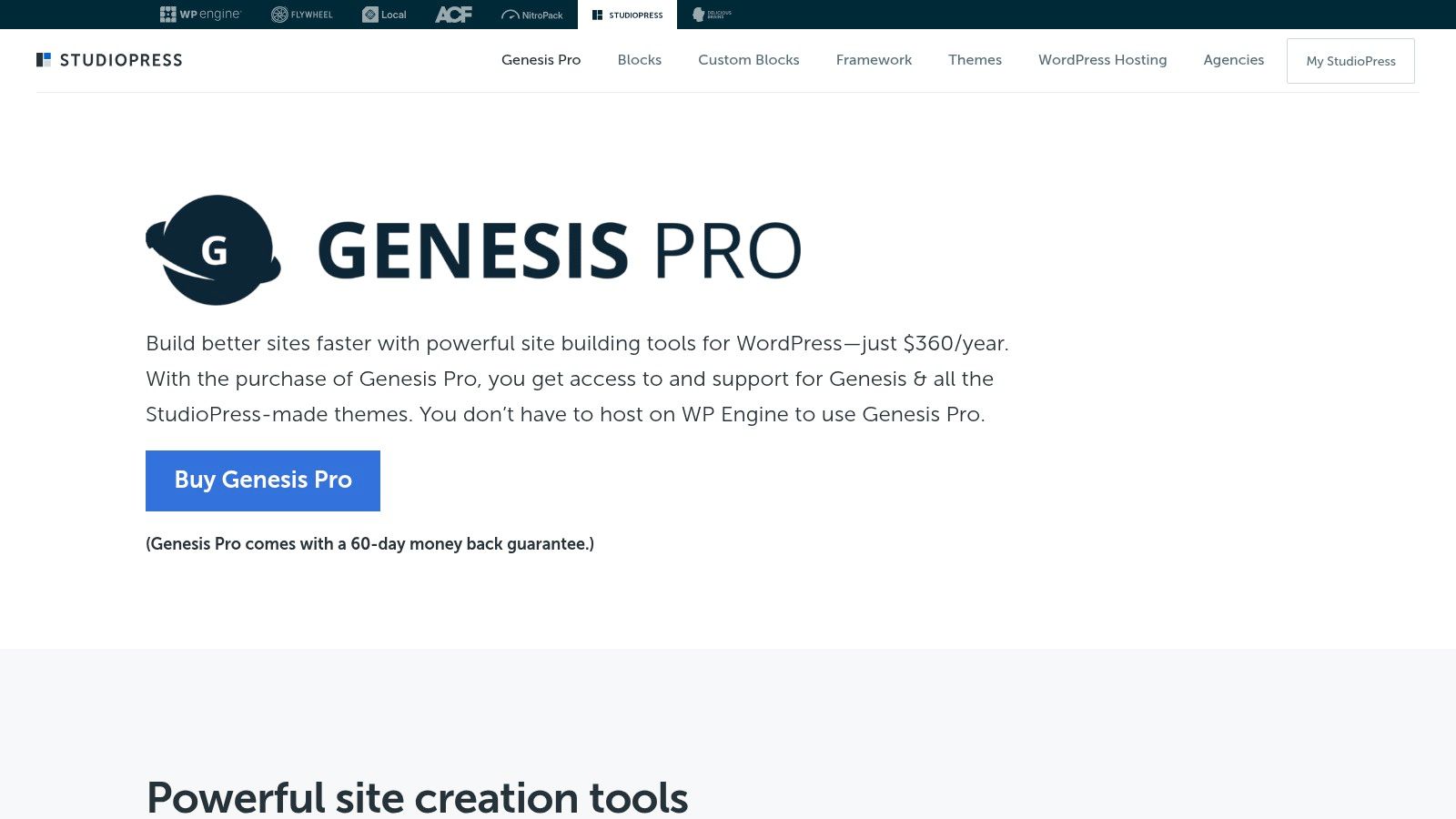
The unique advantage of Genesis Pro is its emphasis on a structured, block-based editing experience. It includes tools like Genesis Custom Blocks, allowing you to create reusable, custom block patterns and enforce brand consistency across a website. This is ideal for businesses with multiple content creators, as it allows administrators to lock down templates and ensure design integrity. For example, a corporation can create a locked "Press Release" template block, ensuring all team members use the correct formatting and branding when publishing news. The entire suite is now included with all WP Engine hosting plans, making it a high-value addition for businesses hosted on that platform.
Key Features and Usage Tips
- Cost: Included for free with any WP Engine or Flywheel hosting plan. Can be purchased separately for an annual fee for use on other hosts.
- Developer-Friendly Foundation: The Genesis Framework is known for its extensibility and adherence to WordPress best practices, making custom development straightforward.
- Expert Tip: Leverage Genesis Custom Blocks to create unique content modules for your business, such as custom testimonials, team member profiles, or service listings. These can be exported and reused across multiple sites, saving significant development time for agencies.
| Pros | Cons |
|---|---|
| Stable, secure, and developer-friendly foundation with a long track record. | Less plug-and-play visual polish compared to page-builder bundles. |
| Strong editorial controls and template governance for brand consistency. | Smaller official theme catalog than large marketplaces like ThemeForest. |
| Excellent performance and SEO-readiness out of the box. | Can have a steeper learning curve for users new to the parent/child theme concept. |
Best for: Agencies, developers, and established businesses that need a secure, scalable, and highly customizable foundation for their website. It is also an excellent choice for organizations that require strict brand and template governance across their digital properties.
Website: https://www.studiopress.com/genesis-pro/
Top 12 Business WordPress Themes Comparison
| Item | Core features ✨ | Quality ★ / 🏆 | Price 💰 | Target 👥 |
|---|---|---|---|---|
| WordPress.org Theme Directory | 14k+ free themes, dashboard install, public changelogs | ★★★☆ — variable quality | 💰 Free (many require paid upgrades) | 👥 Budget SMBs, DIY testers |
| ThemeForest (Envato Market) | Massive commercial catalog, sales/ratings, feature filters | ★★★☆ — wide variance; vet authors | 💰 One-time licenses; frequent sales | 👥 Niche businesses, template hunters |
| TemplateMonster | Curated business demos, install services, MonsterONE sub | ★★★☆ — vendor-dependent | 💰 Per-theme + optional services; subscription option | 👥 Agencies, SMBs needing quick launches |
| Creative Market | Designer-led themes, seller storefronts, clear licensing | ★★★☆ — strong visuals; variable support | 💰 One-off purchases (designer pricing) | 👥 Brand-forward SMBs, designers |
| Elegant Themes (Divi) | Divi Builder + 300+ packs, unlimited-site membership | ★★★★ — rich ecosystem; heavier 🏆 | 💰 Membership (annual/lifetime) — cost-effective for multisite | 👥 Agencies, multi-site users |
| Astra (Brainstorm Force) | 300+ starter templates, WooCommerce & LMS integrations | ★★★★ — fast & flexible | 💰 Freemium; Pro/bundles & lifetime options | 👥 Agencies, WooCommerce sites, perf-focused |
| GeneratePress | Lightweight, 60+ starters, GenerateBlocks Pro | ★★★★ — performance & stability 🏆 | 💰 Premium + bundles; license up to 500 sites | 👥 Developers, SEO-minded teams |
| Kadence WP | Theme + Kadence Blocks, WooCommerce Shop Kit, CRO tools | ★★★★ — conversion-focused | 💰 Freemium; Ultimate bundles for full stack | 👥 SMB e‑commerce & CRO teams |
| OceanWP | 210+ full-site templates, extensions, scalable licensing | ★★★☆ — feature-rich but heavier | 💰 Pro bundles; tiers (1→300 sites) | 👥 SMBs & agencies needing many demos |
| Blocksy (CreativeThemes) | Block-first, Pro starter sites, white‑label & lifetime | ★★★★ — modern, fast | 💰 Freemium; Pro annual or lifetime plans | 👥 WooCommerce SMBs, agencies seeking lifetime deals |
| ThemeIsle (Neve) | 110+ starters, performance module, agency tools | ★★★★ — optimized for Core Web Vitals | 💰 Freemium; Pro/Agency plans (renewal pricing applies) | 👥 Small‑to‑mid businesses, agencies |
| StudioPress (Genesis Pro) | Genesis framework, StudioPress child themes, custom blocks | ★★★★ — stable, developer-oriented 🏆 | 💰 Premium subscription; 60‑day refund | 👥 Agencies, developers, editorial sites |
From Theme Selection to Business Success: Your Next Steps
Navigating the vast landscape of the best WordPress themes for business can feel overwhelming, but this guide has equipped you with a strategic framework for making an informed decision. We've moved beyond surface-level feature lists, delving into the practical realities of using powerhouse themes like Astra and Kadence for their performance-first architecture, the unmatched customization of Divi, and the robust reliability of the Genesis Framework. The key takeaway is that the "best" theme is not a universal title; it is entirely dependent on your specific business context.
A startup might prioritize the rapid, modular building experience of a block-based theme like Blocksy to get to market quickly. In contrast, an established e-commerce brand will find more value in a theme like OceanWP, known for its deep WooCommerce integration and conversion-focused features. Your choice is the digital foundation upon which your brand's entire online presence will be built, influencing everything from user experience and SEO rankings to long-term maintenance costs.
Synthesizing Your Decision: Core Factors to Revisit
Before you make your final selection, distill your requirements by asking these critical questions one last time:
- Primary Business Goal: Is your website's main purpose to generate leads, sell products directly, showcase a portfolio, or serve as a content hub? Your answer should immediately narrow your choices. For example, if you plan to sell online, your evaluation process must include a thorough review of our e-commerce recommendations and a deeper dive into how to effectively build an ecommerce website for maximum impact.
- Technical Skill Level: Be honest about your team's WordPress proficiency. Drag-and-drop builders like Divi offer immense creative freedom with a lower technical barrier, whereas a developer-centric framework like Genesis Pro offers unparalleled stability and performance but requires more technical expertise to customize.
- Performance and Speed: In today's digital economy, speed is a non-negotiable feature. Themes like GeneratePress and Astra are built with a lightweight codebase, providing a crucial advantage in Core Web Vitals and user retention. Always prioritize a theme that values clean code over bloated, unnecessary features.
- Long-Term Scalability: Consider your business's five-year plan. Will you be adding a learning management system, a membership portal, or advanced multilingual capabilities? Choose a theme with a strong development roadmap, extensive plugin compatibility, and a reputation for reliable updates.
Beyond the Theme: Implementation and Growth
Remember, selecting a theme is just the first step on a much longer journey. The true value of a premium WordPress theme is unlocked through professional implementation, strategic optimization, and vigilant maintenance. A powerful theme is a toolkit, but its successful application requires expertise. Performance tuning, security hardening, and custom development are not one-time tasks; they are ongoing processes crucial for protecting your digital asset and ensuring it continues to drive business growth.
For many businesses, the internal resources required to manage this entire lifecycle are simply not available. A website that is slow, insecure, or poorly configured can actively harm your brand reputation and bottom line. This is where the calculus shifts from a DIY approach to a strategic partnership. For organizations that need a unique digital identity, guaranteed performance, and freedom from technical burdens, working with a dedicated agency is the most effective and efficient path forward. It allows you to leverage expert knowledge to build a high-performing, secure digital engine, freeing you to concentrate on what you do best: running and growing your business.
Frequently Asked Questions (FAQs)
What is the difference between a free and a premium WordPress theme?
A free WordPress theme, typically found in the official WordPress.org directory, offers basic functionality and design at no cost. They are a great starting point for new businesses. A premium theme is a paid product that provides advanced features, dedicated customer support, regular updates, and often a higher level of design quality and customization options. For a serious business, a premium theme is usually a worthwhile investment for its superior functionality and security.
How does a theme affect my website's SEO?
A theme directly impacts SEO through its code quality, site speed, and mobile responsiveness. A well-coded, lightweight theme like GeneratePress or Astra will load faster, improving user experience and satisfying Google's Core Web Vitals metrics. A mobile-responsive theme ensures your site looks great on all devices, which is a critical ranking factor. Conversely, a bloated, poorly coded theme can slow your site down and hurt your search rankings.
Can I change my WordPress theme later without losing my content?
Yes, you can change your theme without losing your core content like pages, posts, and user data, as this is stored in your WordPress database. However, theme-specific features, such as custom widgets, shortcodes (common in themes like Divi), and specific layout settings, will be lost. Before switching, it's crucial to back up your site and understand which features are tied to your current theme.
Do I need to know how to code to use a premium WordPress theme?
No, most of the best WordPress themes for business are designed to be user-friendly for non-coders. Themes like Divi, Astra, and Kadence come with visual drag-and-drop page builders and extensive customization options that allow you to create a professional website without writing a single line of code. However, having some basic CSS knowledge can be helpful for minor tweaks.
What is a "multipurpose" theme, and is it right for my business?
A multipurpose theme is a flexible theme designed to work for any type of website, from a business portfolio to an e-commerce store. They are packed with features and customization options. Themes like Astra, Neve, and OceanWP are excellent examples. They are a great choice for businesses that need versatility, but the downside is they can sometimes include features you'll never use. The key is to choose a modular multipurpose theme that lets you disable features you don't need to maintain optimal performance.
Ready to transform your chosen theme into a powerful, secure, and high-performing business asset? The team at Websites USA specializes in professional WordPress development, turning premium themes into custom-tailored websites that drive results. Let us handle the technical complexities of design, security, and ongoing maintenance so you can focus on your core business.


